How to Use an AI Outfit Generator to Build Your Virtual Wardrobe
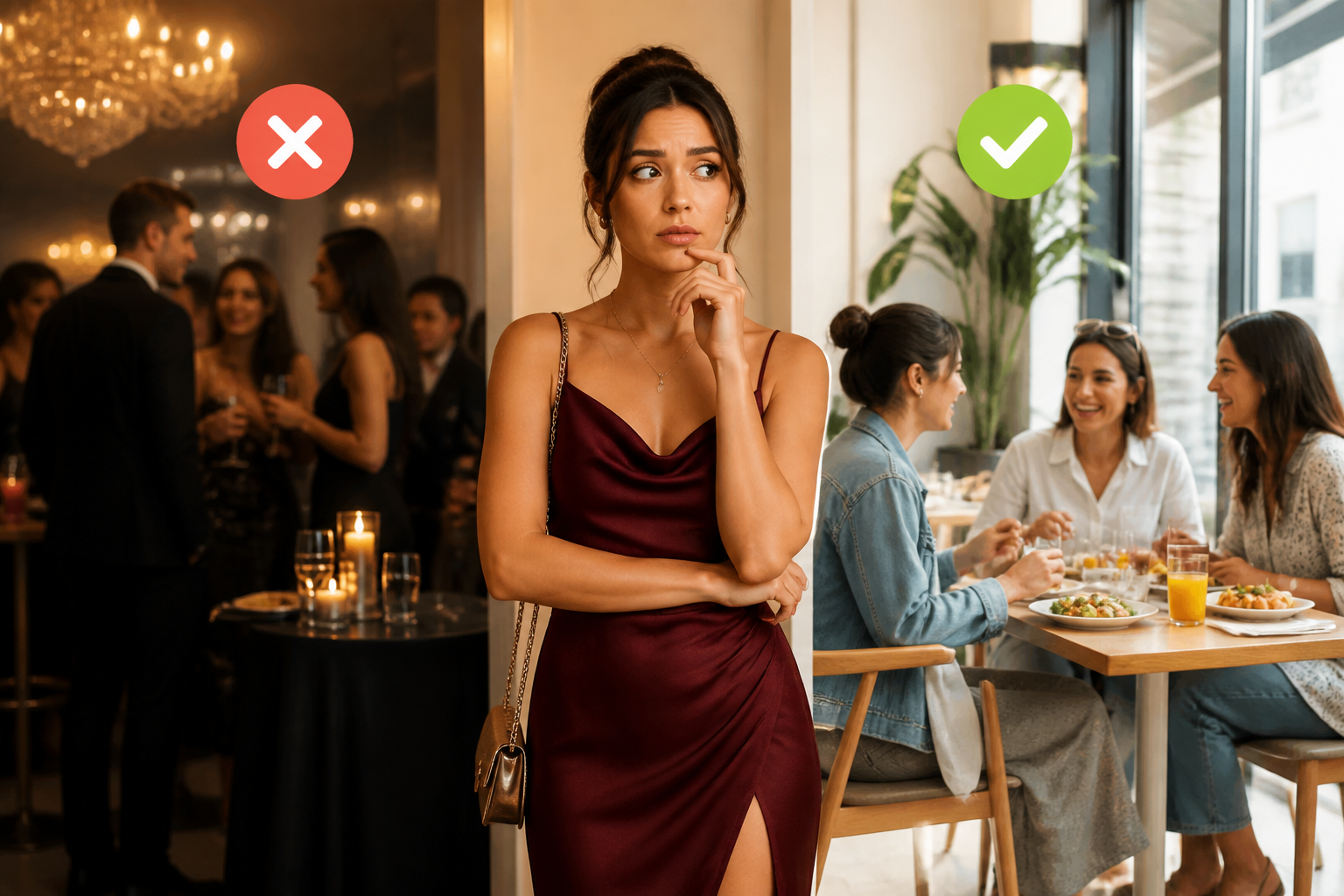
Most people searching for an AI outfit generator aren't looking for a tool that invents new clothes to buy. They want help figuring out what to wear with what they already own — without standing in front of the closet for twenty minutes every morning.
That's the gap AI stylist tools are increasingly closing. From social posts showing AI-curated complete looks built from existing wardrobes, to apps that analyze outfit photos before you walk out the door, the category has moved past novelty into something genuinely useful for daily dressing decisions.
This tutorial covers what AI outfit generators actually do well, how to set up a virtual wardrobe, and the fastest workflow for getting real outfit decisions made — including how to check whether a look is actually working before you commit to it.
What People Actually Mean When They Search "AI Outfit Generator"
The search term covers at least three distinct things, and it helps to know which one you need:
1. AI that generates images of outfits — visual tools that create photos of model-worn looks from text prompts or your own photos. Useful for inspiration and seeing what something looks like styled. Not useful for decisions about clothes you already own.
2. AI that suggests outfits from your existing wardrobe — apps like Lookastic or Pronti that catalog your clothes and recommend combinations. These require photo input of each garment and work best when your wardrobe is uploaded. Setup time: 30–60 minutes.
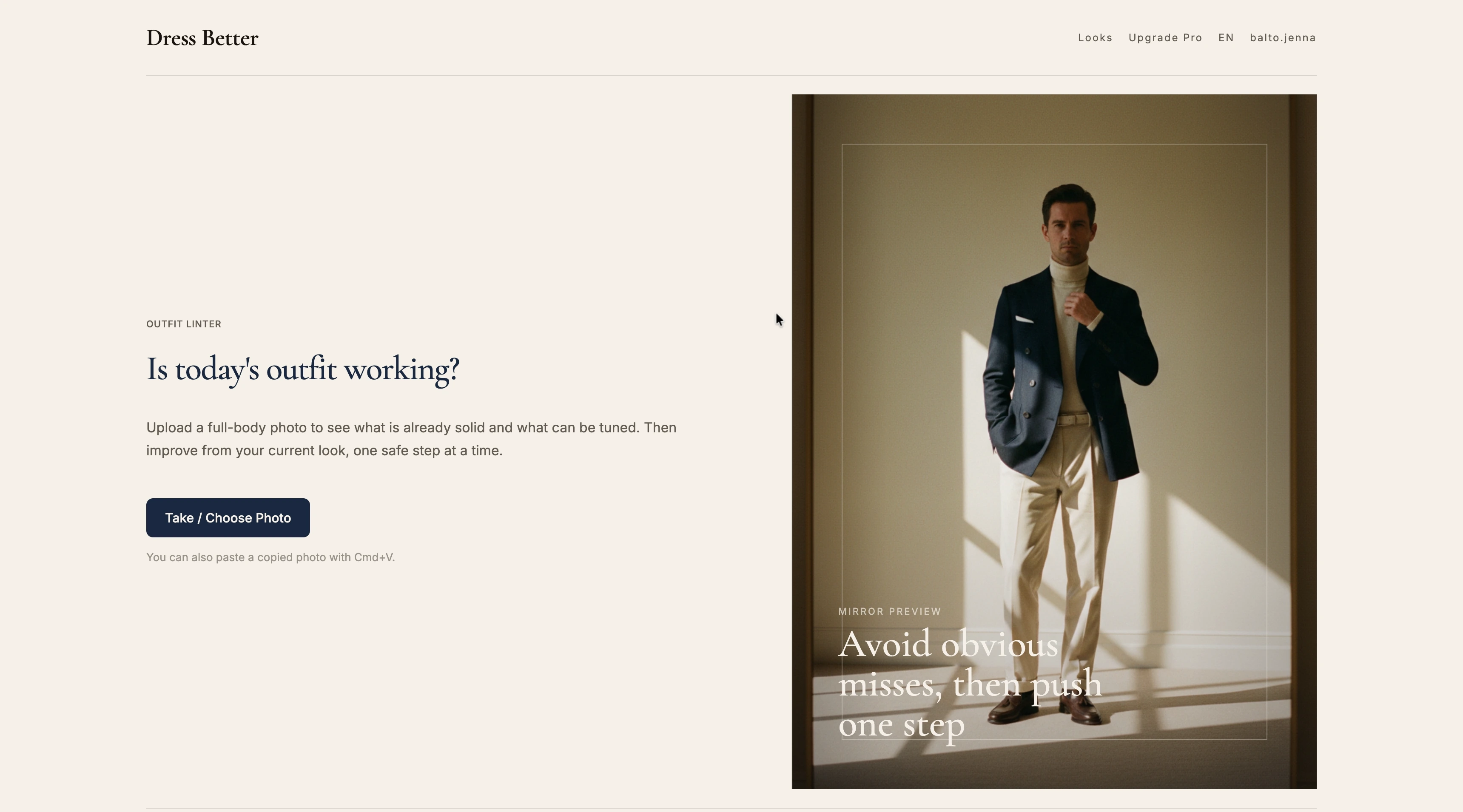
3. AI that analyzes an outfit you're wearing right now — tools that take a full-body photo and give specific feedback on color coordination, proportions, and occasion-appropriateness. No wardrobe catalog required. Fastest to start using.
What most people actually want is a combination of 2 and 3: help building looks from what they own, plus a quick gut-check before they leave. That's the workflow this tutorial walks through.
Step 1: Take Stock of What You Own (Without Cataloging Everything)
The biggest friction point with virtual wardrobe apps is the upfront investment of photographing every garment. For most people's wardrobes, that's 50–150 items — a real barrier.
A more practical approach: instead of cataloging everything, start with your "active rotation" — the 15–20 pieces you actually reach for most often.
How to identify your active rotation:
- Pull out anything you've worn in the last 3 weeks
- Add anything you reach for and then put back because you're not sure how to wear it (these are the most useful pieces to work with)
- Remove anything that doesn't fit or is visibly worn out
For each piece in your active rotation, note:
- Category (top, bottom, outerwear, shoes)
- Main color and undertone (cool vs. warm)
- Formality level (casual / smart casual / business casual / formal)
- Any specific occasions it reads wrong for
This mental inventory takes about 10 minutes and is more actionable than a full wardrobe catalog because it focuses on pieces that are actually in play.
Step 2: Identify the Combination Gaps
Once you know your active rotation, the useful question isn't "what can I wear?" but "what am I not combining that I should be?"
Common wardrobe combination gaps:
- A statement piece you bought but can't figure out how to anchor (usually needs a neutral partner, not another statement)
- Bottoms that only ever get worn with one specific top
- Pieces with the wrong formality pairing — a structured blazer over a weekend t-shirt, or tailored trousers with a too-casual shirt
The undertone test is the fastest gap finder: Go through your tops and bottoms and roughly sort by undertone (warm: camel, rust, olive, warm white; cool: grey, navy, cool beige, off-white with blue tones). If all your bottoms are warm-toned and most of your tops are cool-toned, that's a persistent pairing problem — not a taste problem.
Step 3: Use AI to Check a Specific Outfit Before You Leave
This is where AI moves from abstract to immediately useful. Rather than generating a perfect theoretical outfit, the faster approach is to test what you're already wearing.
Take a full-body photo — your phone's front camera works fine, ideally against a neutral background — then use an AI outfit analysis tool to evaluate it.
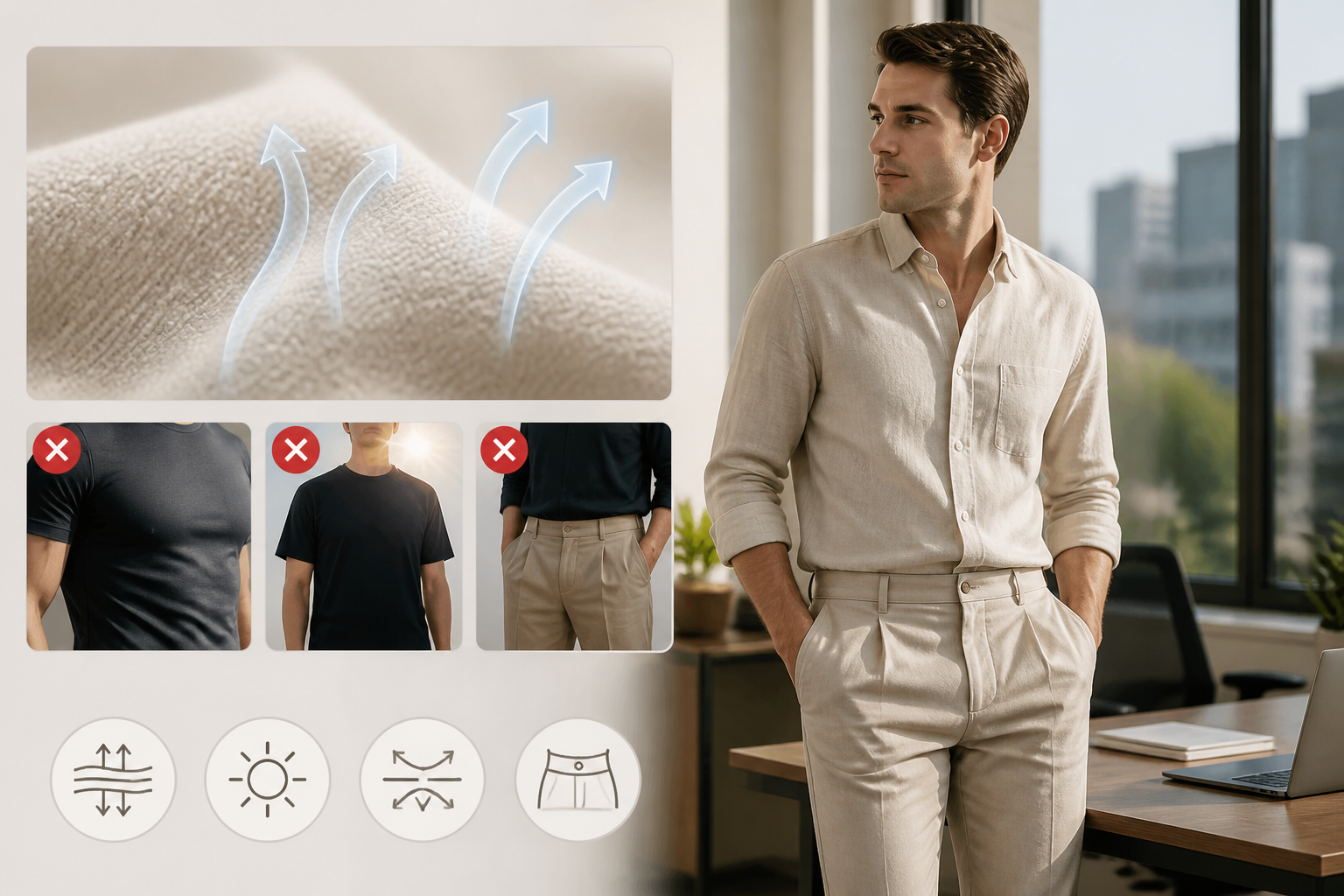
Dress Better analyzes four axes from a single photo:
- Color coordination — whether the color combination actually works, and specifically which pairing is creating friction if something feels "off"
- Fit proportions — whether the silhouette reads as intentional (oversized-on-purpose vs. just too big; cropped vs. just too short)
- Materials — whether fabrics are compatible in formality and weight
- Occasion-appropriateness — whether the outfit's formality level matches where you're going
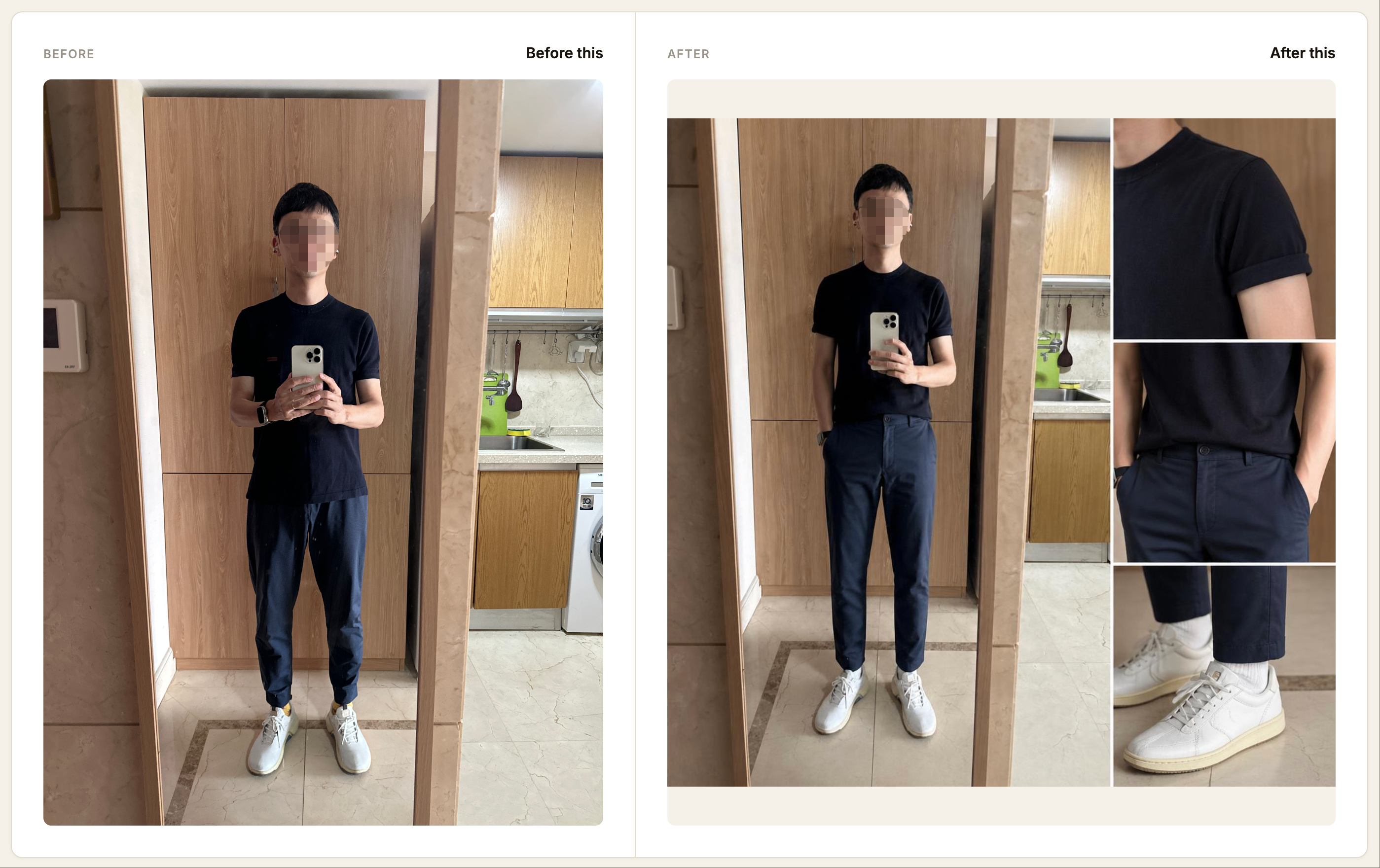
The key distinction from general style advice: the feedback is specific to the outfit in the photo, not generic rules. If the issue is that your trousers and shirt are both slightly baggy and the combination reads as shapeless, that's what it tells you — not "make sure clothes fit."
The founder's original motivation for building it is worth noting directly: "我是一个理工科男生,对穿搭和艺术这些事情感到非常吃力" (I'm a science-minded guy who found styling genuinely difficult) — the tool is designed around the perspective that most people don't lack taste, they lack a reliable feedback mechanism.
Step 4: Build Outfit Combinations Systematically
Once you've identified your active rotation and run a few outfit checks, patterns emerge quickly. The goal is to build a small set of reliable combinations rather than generating endless variation.
The 3-base-outfit structure:
Most practical wardrobes run on 3 foundational outfit frameworks, customized for:
- Casual / weekend
- Work / smart casual
- Elevated casual or event
For each framework, identify:
- The anchor piece (usually a bottom or structured layer that defines the formality)
- The default top pairing (tested and confirmed)
- One alternate top that also works
- The shoe variation that shifts the look up or down one notch
This gives you 6 distinct outfits from 8–10 pieces — more than enough for a week without repeating or feeling stuck.
Where AI is most useful in this step: Testing the "alternate top" pairings. It's easy to assume something will work because the colors seem fine, but proportions and formality compatibility are harder to judge before trying. Uploading the combination to an outfit analyzer flags issues before you've committed to a purchase or worn something to an important event.
Step 5: Identify Recurring Issues (Not Just One-Off Fixes)
The most underused feature of AI outfit analysis is pattern recognition across multiple looks.
If you upload five different outfits over a few weeks and the feedback consistently flags the same issue — color temperature mismatch in nearly every pairing, or formality drift where your tops are always one notch too casual for your bottoms — that's a wardrobe-level diagnosis, not an outfit-level one.
Dress Better's Look History tracks this automatically: every analyzed outfit is saved with its feedback, so you can see whether the same issues recur. The "most common recent issues" view surfaces exactly this — if 4 of your last 6 outfit submissions flag the same color coordination problem, the fix isn't to change outfits, it's to address the underlying mismatch in your active rotation.
This is the difference between using AI as a daily check and using it to actually improve your style decisions over time.
What AI Outfit Generators Don't Do Well (Yet)
Being clear about limitations saves time:
They don't know your specific context. An AI that evaluates your outfit doesn't know that your office runs formal-skewing, or that the event you're dressing for is outdoors in summer heat. The better tools let you specify occasion; the generic ones just evaluate the outfit in isolation.
They can't replace trying things on. Virtual outfit generation (images of you in different clothes) is visually convincing but doesn't tell you how something fits in practice. Use it for inspiration, not for final purchase decisions.
They don't have your wardrobe's full context. If you don't tell the tool what shoes you're pairing with the outfit, or that you're wearing a coat over it, the analysis is partial. The more complete the photo input, the more accurate the feedback.
Style preference isn't always the same as style correctness. A well-calibrated AI outfit tool should extend your existing style rather than impose a different one. The feedback principle worth holding: suggestions should be about how to wear what you have, not about what to buy.
The Actual Daily Workflow (Under 2 Minutes)
If the goal is a sustainable daily habit rather than a full wardrobe overhaul, the workflow is:
- Put on the outfit you're planning to wear
- Take one full-body photo (phone camera, neutral background)
- Upload to an AI outfit analyzer
- Read the feedback — if there's a specific, fixable issue (shoe swap, untuck the shirt, swap the belt), make the change; if the outfit is confirmed, leave
- The analysis is saved automatically for future pattern review
The point isn't perfection. It's eliminating the "something feels off but I can't tell what" problem that most people experience 2–3 times a week but never get specific feedback on.
Building a Smarter Wardrobe Over Time
The longer you use AI outfit analysis, the less you need it for individual decisions — because you've already internalized what works. The combinations that consistently get positive feedback become your default reach-for options. The recurring issues you've fixed stop reappearing.
The goal of a virtual wardrobe isn't to digitize your closet. It's to develop enough pattern recognition about your own clothes that getting dressed becomes an easy decision rather than a daily source of low-level stress.
AI doesn't replace that judgment — it accelerates building it.
Ready to run a quick check on what you're wearing today? Try Dress Better — upload a full-body photo and get specific feedback on color, proportions, and occasion fit. No wardrobe catalog required.
Disclosure: This article was produced by the Dress Better editorial team. It includes references to Dress Better's own AI outfit analysis tool. All advice reflects the team's experience observing common patterns in user-submitted outfit reviews.